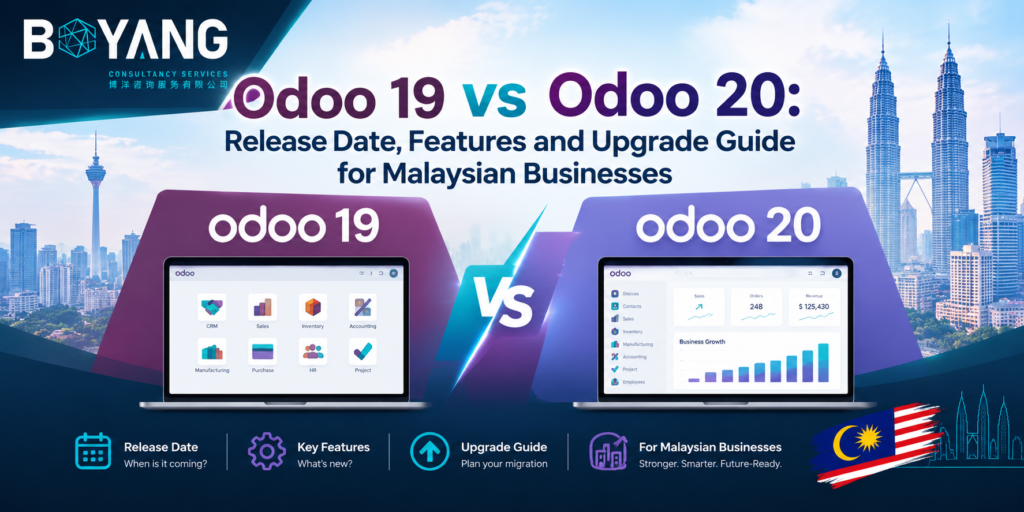
Odoo 20 is out. The Odoo 20 release date was 24 September 2026, the opening day of Odoo Experience in Brussels. If you searched “when Odoo 20 release” or “cuando sale Odoo 20” over the past year, you now have your answer.
This Odoo 19 vs Odoo 20 comparison shows what changed and what to plan for. It also covers what Malaysian finance, retail and operations teams should check before upgrading. Whether you write Odoo 20, Odoo20 or Odoo v20, the details below come from the official Odoo 20 release notes and launch coverage.
Odoo 20 Release Date and Launch Date
Odoo launched Odoo version 20 on 24 September 2026. Odoo Experience ran from 24 to 26 September at Brussels Expo. Odoo published the Odoo 20 release notes on the same day, and the 20.0 branch appeared in the official source code repository.
Odoo 19 arrived on 18 September 2025. Odoo ships one major version each year, so the gap between the two is about twelve months.
Your hosting type affects when you see new features. Odoo Online databases moved through versions 19.1, 19.2, 19.3 and 19.4 before Odoo 20. Odoo.sh and on-premise databases run major versions such as 19.0 and 20.0. Some features people call “Odoo 20 features” reached Online users earlier. If you host on Odoo.sh or your own servers, you get them with the full upgrade.
What Is Odoo Version 20?
Odoo is one of the best web apps examples in business software. You run sales, accounting, inventory, HR and your website from one browser-based system. Each major version adds apps and improves existing ones.
Odoo 19 introduced the first AI features and many usability improvements. Odoo 20 takes the next step. AI agents now take action instead of only answering questions. Odoo 20 also simplifies payroll, accounting and field service.
Odoo 19 vs Odoo 20 at a Glance
| Area | Odoo 19 | Odoo 20 |
|---|---|---|
| AI | First AI features and suggestions | AI agents run inside automations, create and update records, and take voice input |
| External tools | Standard integrations | MCP connection for external AI assistants |
| Offline work | Needs a connection | Create, edit, archive and delete records offline |
| Field Service | Separate app | Merged into Planning |
| Payroll | Work entries | Work entries removed, new payroll dashboard |
| Payment statuses | In Process, Paid | Paid, Reconciled |
| Employee expenses | Standalone menu | Menu removed, approved expenses create draft bills |
| Access rights | Record rules | Record rules removed, domain set on access rights |
| Icons | Font Awesome | Material Symbols |
| Push notifications | Firebase | Odoo’s own tools |
Odoo V20 Features You Will Notice First
AI agents that take action
Agents now run from automated and scheduled actions. They handle parts of a process in the background. You review the automation chat to see what the agent did and ask for changes.
You ask an agent to create records from an uploaded PDF, update existing records, or answer questions about a file while you preview it. You dictate requests by voice. Agents show live updates instead of a generic “thinking” message, and you approve their questions with one click.
Plan for cost. All AI features in Odoo 20 require credits, which you buy through in-app purchases.
MCP connection
Odoo 20 connects to external AI assistants and automation tools through the Model Context Protocol, or MCP. You skip the custom middleware. According to Odoo, the connection respects each user’s access rights, so the tool sees and changes only what that user is allowed to.
Website, SEO and eCommerce
Odoo 20 answers many long-requested SEO topics.
- Structured data goes into pages by default to support Google rich results.
- Sitemaps include only indexable 2XX URLs.
- Redirect creation is better, and paginated pages avoid duplicate content.
- Adaptive image sizing improves mobile speed.
- AI helps optimize individual pages.
- You create an llms.txt file to help large language models read your content.
- Multilingual sites translate static page URLs per language.
The AI Website Assistant builds new pages, edits snippets, generates images, creates forms and restructures your menu. eCommerce adds automated cross-selling, returns from the customer portal, a Pay on Invoice provider, minimum order quantities and tax-included or tax-excluded prices per pricelist. It also adds WhatsApp follow-ups for abandoned carts.
Accounting
You pay bills straight from Odoo, one at a time or in batches, with a single signature. Odoo also predicts bill lines from your history, flags likely duplicates in red and possible duplicates in yellow, sends automatic invoice reminders and adds matching rules for payment tolerance.
Payroll and time off
Work entries are gone, and work entry types merge with time off types. The new dashboard focuses on setup warnings and daily control. You also get net-to-gross simulation, wage indexation and flexible payslip sending.
Field Service inside Planning
Odoo discontinued the Field Service app. Its features now sit in Planning. You get a live technician map, route planning, automatic shift planning, travel fees, customer equipment tracking and intervention history.
Mobile and offline mode
Offline mode helps field teams and warehouse staff. You work without a connection and sync later. Mobile also gets a swipe-down command palette and a new login screen.
Point of Sale
POS adds combo suggestions, snoozing of sold-out products, kitchen notes from self-ordering, receipts by WhatsApp or SMS, multiple currencies at checkout, service fees and multiple printers per POS.
What Odoo 20 Means for Malaysian Businesses
Malaysian companies carry one extra item on the upgrade list. E-invoicing.
The Inland Revenue Board of Malaysia started phasing in its e-invoicing mandate in August 2024. Odoo connects to the MyInvois portal from Odoo 17 onward. The Odoo 19 documentation covers submitting invoices, credit notes, refund notes, consolidated e-invoices for high-volume B2C sales and POS e-invoicing. Odoo checks submission status automatically.
Odoo 20 does not change your obligation. It does change parts of accounting your invoices depend on. Check these before you upgrade.
- Payment statuses change names. “In Process” becomes “Paid” and “Paid” becomes “Reconciled”. Update any report or process which reads those labels.
- Journal entries affecting bank accounts must come from bank transactions.
- Parent accounts replace account groups in the chart of accounts.
- The Employee Expenses menu is gone, so approved expenses create draft bills.
- Bill line prediction and stronger duplicate detection reduce data entry on supplier bills.
The Odoo 20 release notes list localization changes country by country. Read the Malaysia section, then test your full MyInvois flow on a copy of your database. Cover invoices, credit notes, refund notes, consolidated submissions and POS orders.
Other Odoo 20 features fit Malaysian operations well.
- Retail and F&B teams gain multiple currencies at checkout, service fees and WhatsApp receipts.
- Field teams gain offline mode and route planning.
- Companies with sites in English, Malay and Chinese gain per-language URLs for static pages.
- Sales teams gain WhatsApp schedules and abandoned cart follow-ups.
What Changes When You Upgrade
Custom modules and Studio customizations need attention. Watch for these changes.
- Record rules are removed. You set a domain on access rights instead.
- Tracking values are removed. Odoo builds tracking messages on the fly, and a dedicated module exists if you still need them.
- Font Awesome icons become Material Symbols.
- Push notifications no longer use Firebase.
- Field Service, work entries, the Employee Expenses menu, account groups and asset models are removed or restructured.
Should You Move From Odoo 19 to Odoo 20?
Your setup decides. Businesses with little customization gain quickly from the Odoo 20 vs 19 improvements. Businesses with custom code, Studio changes, Field Service, Payroll or a live MyInvois setup need a careful test first.
Follow this order.
- Read the Odoo 20 release notes for the apps you use.
- List your custom modules, Studio changes and integrations.
- Upgrade a copy of your database.
- Test accounting, MyInvois, payroll, inventory and website flows.
- Fix compatibility issues.
- Train users, then schedule the production upgrade.
Add AI credits to your budget if you plan to use the new agents.
New to Odoo? Start your implementation on Odoo 20. You skip a future upgrade and begin with the current feature set.
Odoo 20 vs Odoo 19 FAQ
When was Odoo 20 released?
Odoo released Odoo 20 on 24 September 2026 at Odoo Experience in Brussels. The release notes went public the same day.
What is the biggest difference in Odoo 19 vs 20?
AI agents. In Odoo 20 they run inside automations, create and update records, and connect to external tools through MCP.
Does Odoo 20 support Malaysia e-invoicing?
Odoo supports MyInvois from version 17 onward, and it works in Odoo 19. Read the Malaysia section of the Odoo 20 release notes and test your submission flow on a database copy before you upgrade.
Is Field Service still in Odoo 20?
Not as a separate app. Its features now live in Planning.
Do Odoo 20 AI features cost extra?
Yes. All AI features require credits bought through in-app purchases. Your cost depends on how much you use them.
Does Odoo 20 work offline?
Yes. You create, edit, archive and delete records without a connection, and rerun earlier searches.
Do I need to upgrade right away?
No. Odoo supports several major versions. Review the release notes, test your customizations on a copy, then choose your date.
Choosing Between Odoo 19 and Odoo 20
Odoo 19 gave you a solid system with early AI tools. Odoo 20 adds working AI agents, offline access, leaner payroll, direct bill payments and stronger SEO tools. For Malaysian businesses, the deciding factor is often how well your e-invoicing and accounting flows survive the upgrade. Start with the release notes, test on a copy of your data, and talk to our team when you are ready to plan your Odoo 20 move.