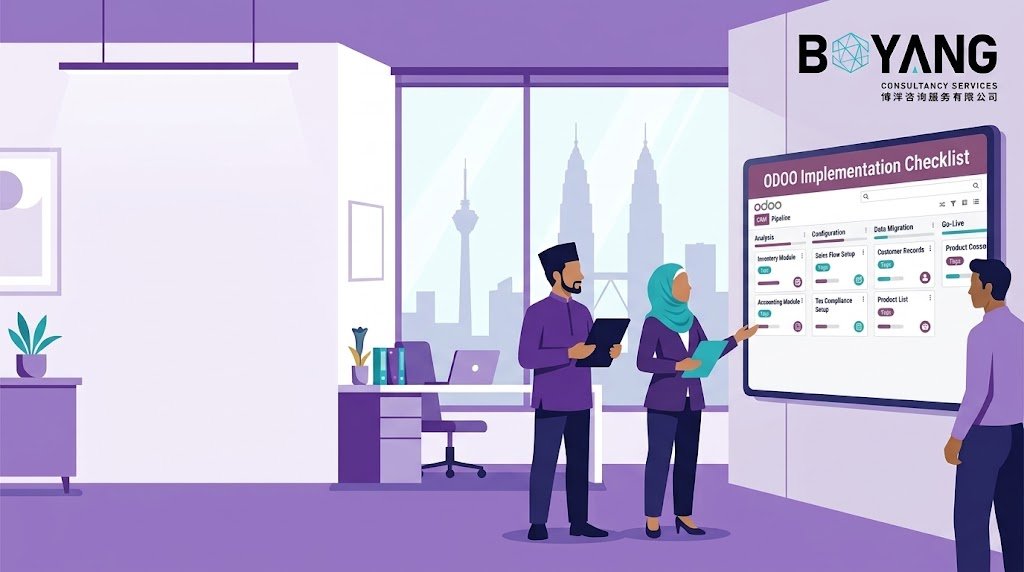
Rolling out Odoo ERP in Malaysia comes with its own set of rules. Between SST compliance, e-invoicing requirements from LHDN, and the need for Bahasa Malaysia support, a generic implementation plan will not cut it. This checklist walks you through what a proper Odoo rollout looks like for a business operating in Malaysia, from the first planning meeting to the weeks after go-live.
Why Malaysian Businesses Need a Malaysia-Specific Odoo Plan
Odoo is a flexible platform, but flexibility only helps you if the setup matches your local obligations. Malaysian businesses face specific tax rules under the Sales and Service Tax (SST) system, and LHDN’s e-invoicing mandate is now a requirement for companies above certain revenue thresholds, with a rollout schedule that already covers most mid-size and large businesses.
Get these details wrong during implementation, and you end up with invoices that fail compliance checks, tax reports that need manual correction every month, and a finance team that spends hours fixing what the system should have handled automatically. A checklist built around your local context saves you from that outcome.
Phase 1: Pre-Implementation Planning
Define Your Business Requirements
Before anyone touches the Odoo backend, sit down with department heads and map out what each team actually needs. Sales, inventory, accounting, HR, and procurement all have different pain points, and your implementation partner needs a clear picture of each one.
Write down the manual processes your team repeats every week. If your warehouse staff track stock on a spreadsheet, or your accountant re-enters SST figures by hand, these are the processes Odoo should replace first.
Choose the Right Odoo Modules
Odoo offers modules for nearly every business function, but you do not need all of them on day one. Start with the modules that solve your biggest problems: usually Accounting, Inventory, Sales, and Purchase for most Malaysian SMEs.
Add HR, Point of Sale, or Manufacturing modules once your core operations run smoothly. Trying to configure ten modules at once slows down testing and increases the risk of errors going unnoticed.
Set a Realistic Budget and Timeline
Odoo implementation costs in Malaysia vary based on the number of users, modules, and how much customization your business needs. A straightforward setup for a small business might take four to eight weeks. A multi-branch operation with custom workflows can take three months or more.
Build in a buffer for testing and staff training. Businesses that rush the timeline to save a few weeks almost always pay for it later in data errors and staff confusion.
Pick an Implementation Partner with Local Experience
An Odoo partner based in Malaysia, or one with hands-on experience serving Malaysian clients, understands SST configuration, LHDN e-invoicing integration, and Bahasa Malaysia localization out of the box. This matters more than most businesses expect during vendor selection.
Ask potential partners for references from other Malaysian clients in your industry. A partner who has already configured SST for a retail business will move faster and make fewer mistakes than one learning the requirements for the first time on your project.
Phase 2: System Configuration
Configure SST and Tax Settings
Set up your SST rates correctly from the start. Malaysian businesses registered for Sales Tax, Service Tax, or both need their Odoo tax configuration to match their registration status exactly. Test a handful of sample transactions before going live to confirm the tax calculations land on the right figures.
Set Up LHDN E-Invoicing Integration
If your business falls under the e-invoicing mandate, your Odoo system needs to connect with LHDN’s MyInvois platform. Confirm your implementation partner has built this integration before, and test the full invoice submission flow with real transaction data during the configuration phase, not after go-live.
Localize for Bahasa Malaysia
If your team, customers, or vendors work in Bahasa Malaysia, configure the language settings and document templates accordingly. This includes invoices, purchase orders, and any customer-facing communication generated by the system.
Configure Multi-Currency and Multi-Company Settings
Many Malaysian businesses deal with suppliers or customers across Singapore, Indonesia, or China. Set up multi-currency handling early if this applies to you. If your business operates across multiple entities or branches, configure the multi-company structure before you start importing data, since restructuring this later creates significant rework.
Phase 3: Data Migration
Clean Your Data Before You Migrate It
Do not move messy data from your old system into Odoo. Duplicate customer records, outdated product listings, and inconsistent formatting will follow you into the new system and cause problems for years if you skip this step.
Migrate in Stages
Start with master data: customers, vendors, products, and chart of accounts. Once that data checks out, move transactional data like open invoices, outstanding purchase orders, and current inventory levels. Migrating everything at once makes it harder to spot errors.
Validate Every Data Set
After each migration stage, run reports and compare them against your old system. Check that stock quantities match, customer balances are correct, and no records are missing. Catching an error here costs you an afternoon. Catching it after go-live costs you a lot more.
Phase 4: Testing
Run User Acceptance Testing (UAT)
Get the actual staff who will use Odoo every day to test the system, not just your IT team or implementation partner. A salesperson testing the quote-to-invoice flow will catch issues a developer never would.
Test SST and E-Invoicing Scenarios Specifically
Run test transactions covering every tax scenario your business handles: standard-rated sales, exempt items, service tax on specific categories, and e-invoicing submissions. Confirm each one generates the correct output before you consider the system ready.
Test Integrations with Other Systems
If Odoo needs to connect with your e-commerce platform, banking system, or third-party logistics provider, test each integration thoroughly. A broken integration that surfaces in week one of production creates far more disruption than one caught during testing.
Phase 5: Staff Training
Train by Department, Not All at Once
Run separate training sessions for sales, accounting, inventory, and HR teams, focused on the workflows each department will actually use. A single generic training session for the whole company leaves most staff unprepared for their specific tasks.
Create Reference Documentation in Both Languages
Build simple, step-by-step guides for common tasks, available in English and Bahasa Malaysia depending on your staff makeup. Staff refer back to these guides constantly in the first few weeks after go-live.
Identify Power Users in Each Department
Every department should have at least one staff member who understands the system deeply enough to help colleagues with day-to-day questions. This reduces the volume of support tickets going to your implementation partner and speeds up problem resolution internally.
Phase 6: Go-Live
Choose Your Go-Live Date Carefully
Avoid launching during your busiest sales period or right before a major reporting deadline. A quiet week gives your team room to work through early issues without added pressure.
Have Support On Standby
Arrange for your implementation partner to be available for direct support during the first week or two after go-live. Issues that seem minor on paper often need fast answers when staff hit them mid-task.
Monitor Key Processes Daily
Check that invoices generate correctly, stock levels update as expected, and SST reports pull accurate figures every day for at least the first two weeks. Early detection of an issue is far easier to fix than one discovered a month later during tax filing.
Before vs After: What Changes with a Proper Implementation
| Before | After |
|---|---|
| Manual SST calculations prone to errors | Automated tax calculation based on correctly configured rates |
| Separate spreadsheets for stock, sales, and accounting | One system with real-time data across departments |
| E-invoices submitted manually or through a separate portal | Direct LHDN e-invoicing integration within Odoo |
| Staff working in English-only templates despite Bahasa Malaysia clients | Bilingual invoices and documents matching your customer base |
| Data errors discovered during month-end closing | Data validated and corrected before it ever reaches production |
Common Mistakes to Avoid
Skipping the requirements-gathering phase. Businesses that jump straight into configuration without mapping their actual workflows end up with a system that does not fit how they operate.
Underestimating SST and e-invoicing complexity. These are not optional add-ons. Get them wrong, and you risk compliance issues with LHDN down the line.
Migrating dirty data. Bringing years of inconsistent records into a new system multiplies problems instead of solving them.
Rushing staff training. A powerful system with untrained users performs worse than a simple system everyone understands.
Choosing a partner without Malaysian experience. Generic Odoo knowledge does not cover SST configuration or LHDN integration. Local experience matters here.
Frequently Asked Questions
How long does a typical Odoo implementation take in Malaysia? Most small to mid-size businesses complete implementation in six to twelve weeks. Larger businesses with multiple branches or heavy customization needs often take three to six months.
Does Odoo support SST compliance out of the box? Odoo provides the framework for SST configuration, but the specific setup needs to match your business’s registration status and product categories. This requires proper configuration by someone familiar with Malaysian tax rules.
Is Odoo compatible with LHDN’s e-invoicing requirements? Yes, when configured with the correct integration to LHDN’s MyInvois platform. Confirm this capability with your implementation partner before starting the project.
What size business benefits most from Odoo in Malaysia? Odoo scales from small businesses with a handful of users to larger operations with hundreds of employees across multiple locations. The modular structure lets you start small and add functionality as your business grows.
Should we migrate all our historical data into Odoo? Not always. Many businesses migrate only recent transactional data (the last one to two years) along with all master data, while keeping older records accessible in the old system for reference. This keeps the new system clean and speeds up implementation.
Final Thoughts
A successful Odoo implementation in Malaysia depends on getting the local details right: SST configuration, LHDN e-invoicing, Bahasa Malaysia support, and a data migration process that does not carry old problems into the new system. Follow this checklist step by step, work with a partner who understands the Malaysian market, and give your team the training time they need. The result is a system that actually fits how your business runs, not one you have to work around.